

Core Ignition Drop Official User Guide
What is Core Ignition Drop?
Core Ignition Drop is a carefully designed six-month incentive program launched on March 11, 2024 by Core Foundation, aimed at rewarding the Core community for their contributions to the Core network. By participating, users can earn rewards while simultaneously helping to fuel the growth and adoption of the Core Chain ecosystem.
Who is eligible to participate?
All Core network participants are eligible, except for those in prohibited jurisdictions or as specified in the Program Terms & Conditions.
Guide Start
- Visit the official Core Ignition Drop website. Click on ‘Get Ignited’
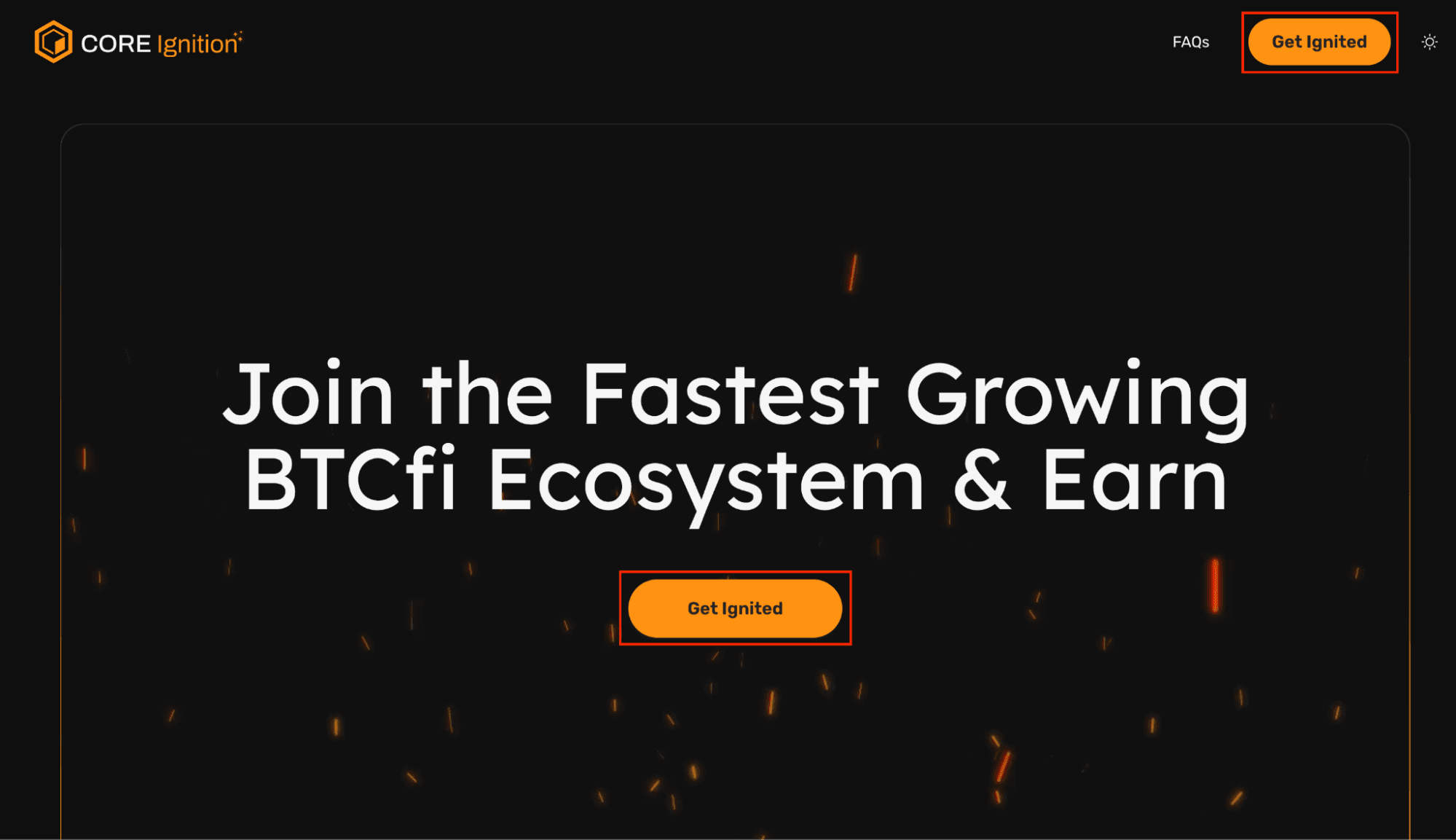
image10.png
- Configure the following steps to participate in Core Ignition Drop:
2.1 Select your country
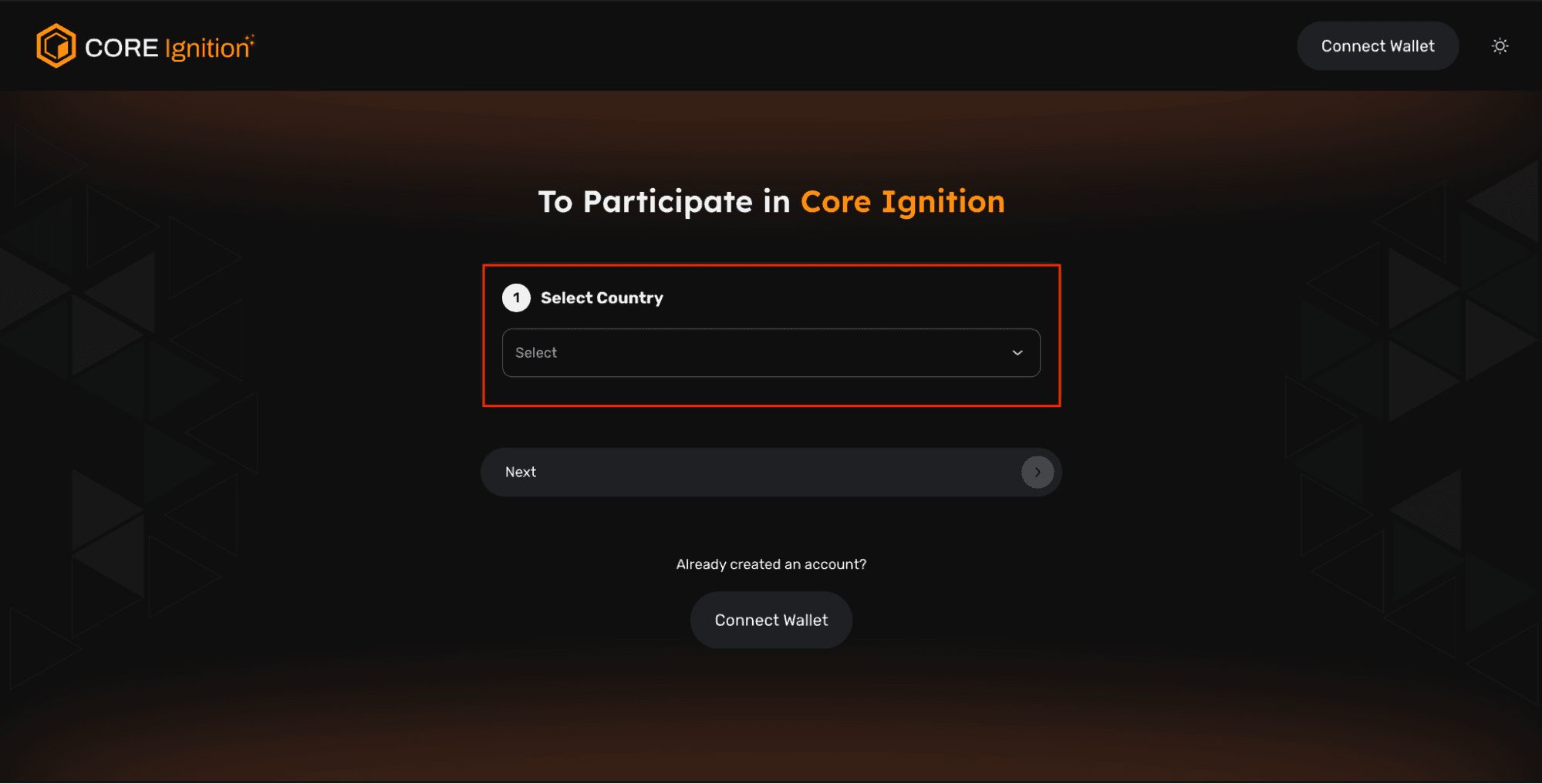
Core Ignition (Select Country)
2.2 Confirm X Sharing (Optional)
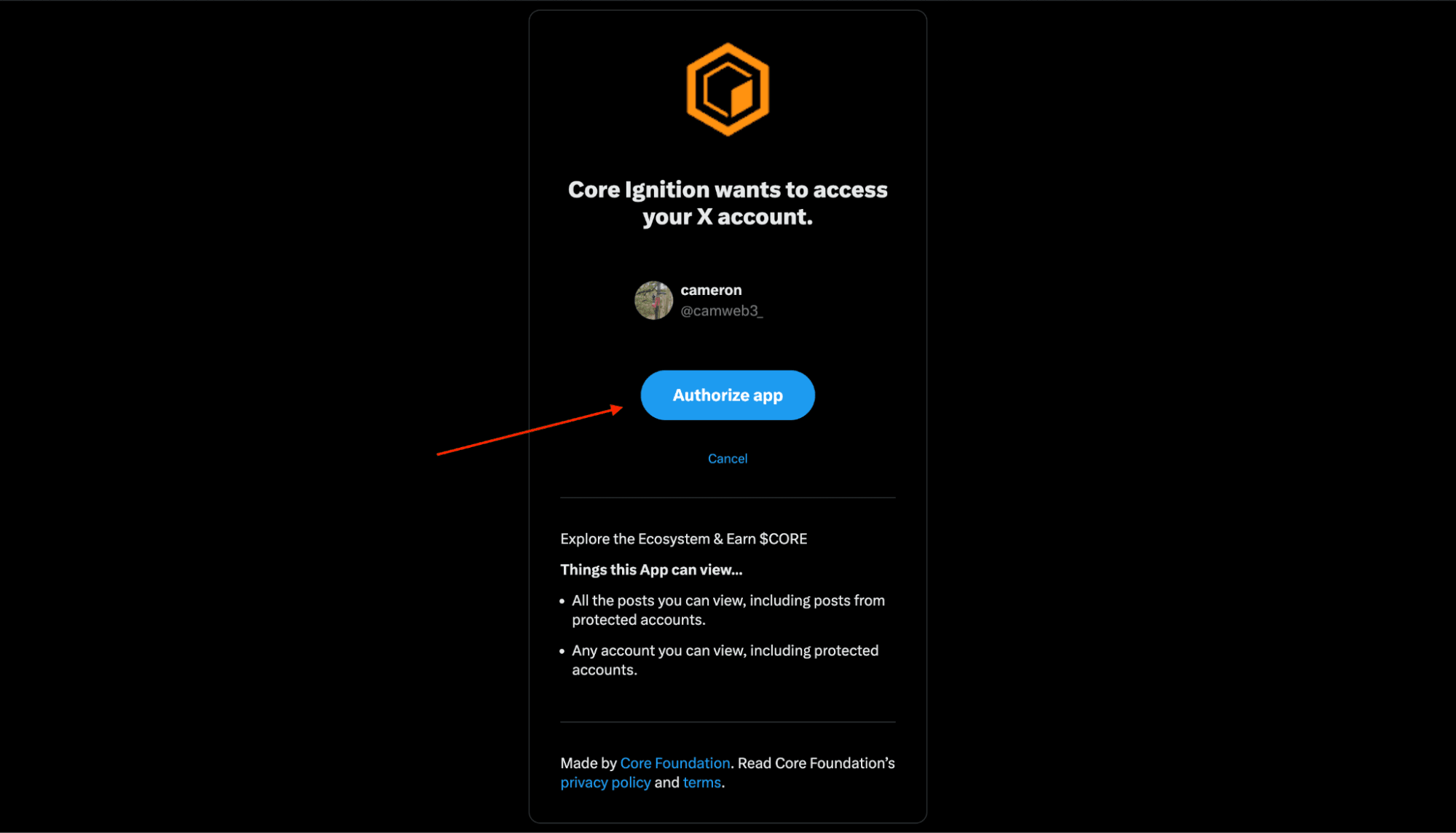
image13.png
2.3 Enter your desired name that will be used for the Core Ignition Dashboard
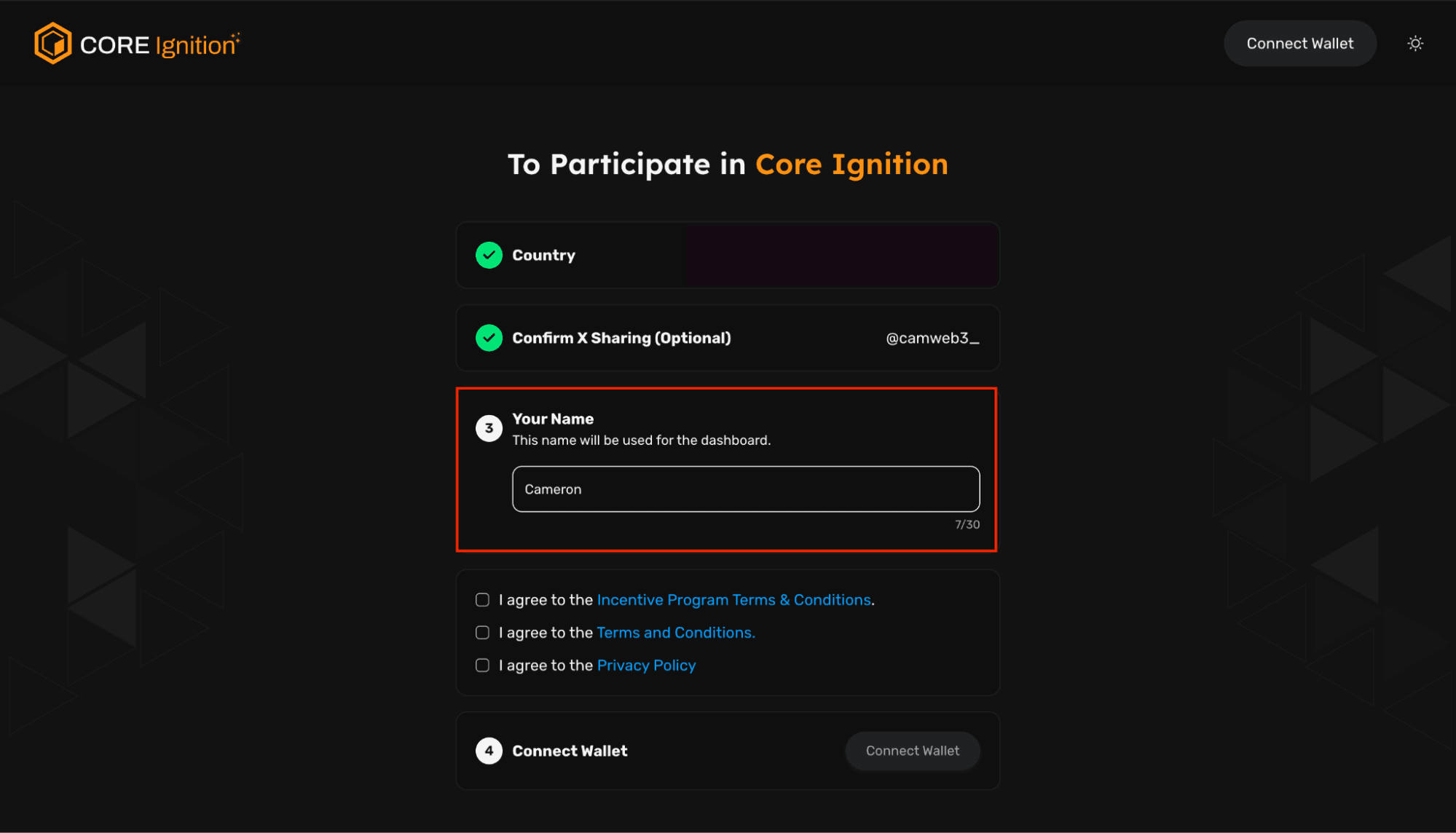
Core Ignition (Add Name)
2.4 Connect wallet after agreeing to both Terms and Conditions + Privacy Policy
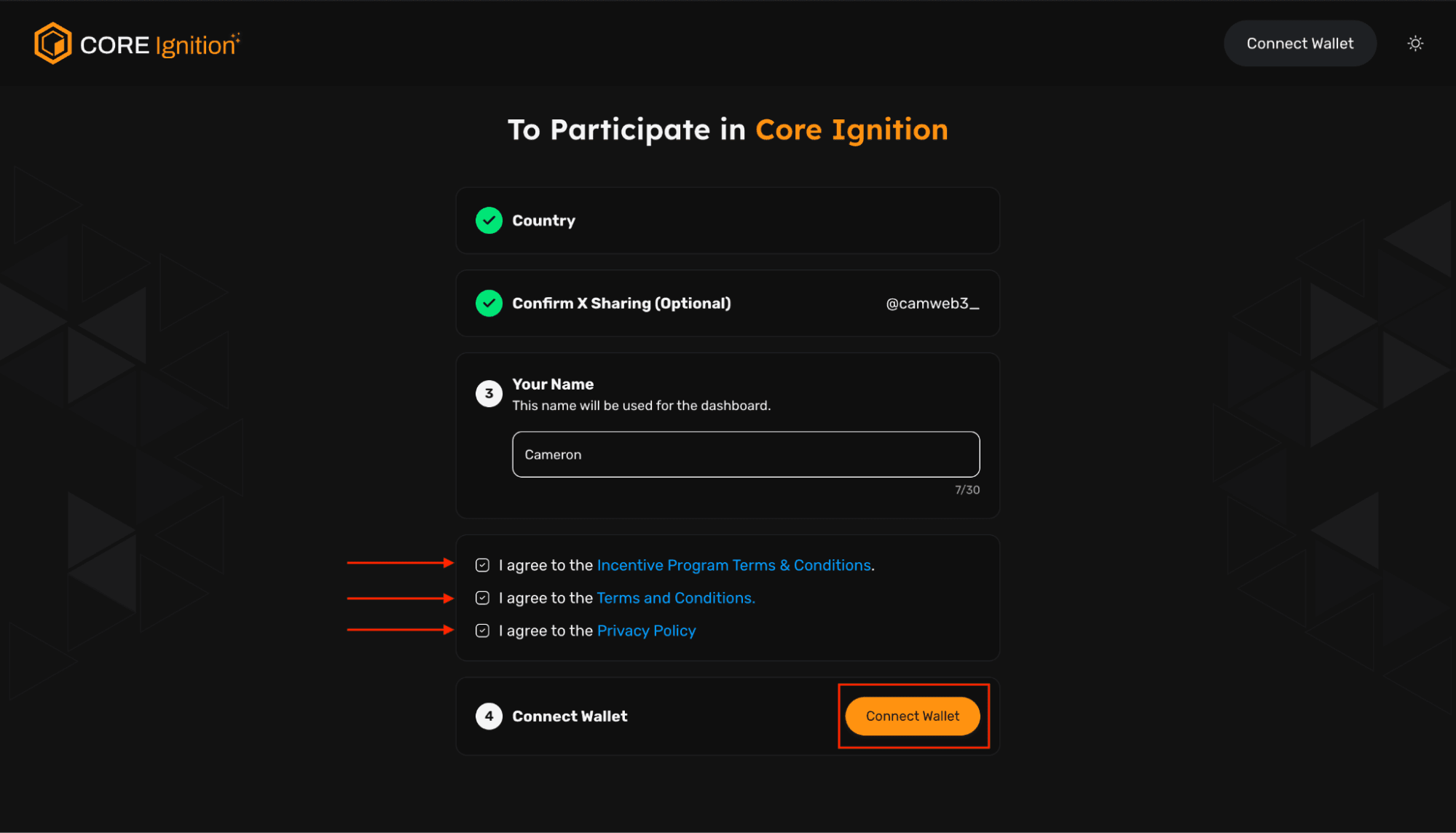
Core Ignition (Terms and Conditions)
2.5 We support multiple wallets. Choose yours and sign in.
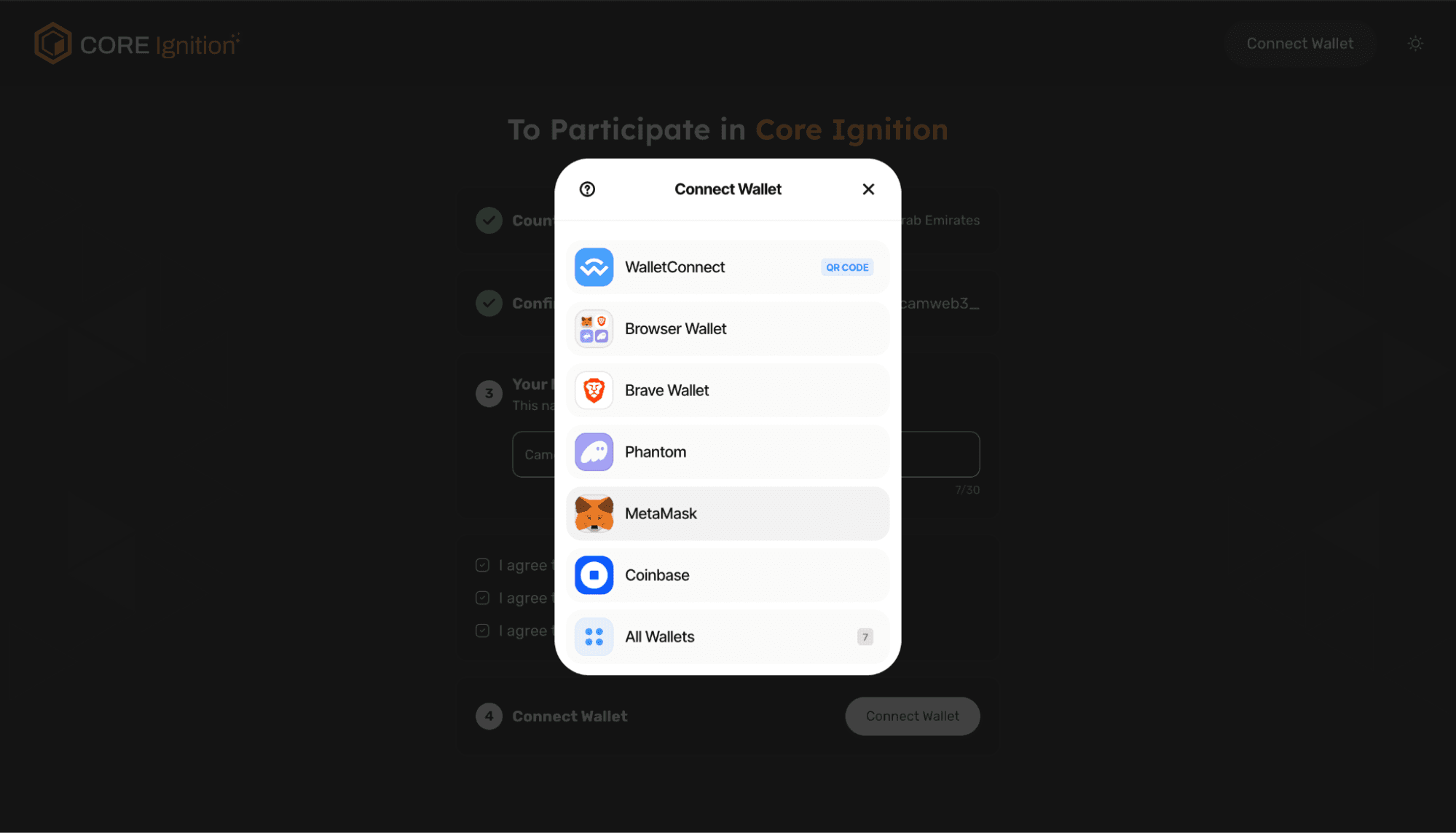
Core Ignition (Choose Wallet)
- You now have access to the Core Ignition Dashboard and you’re viewing the stats tab
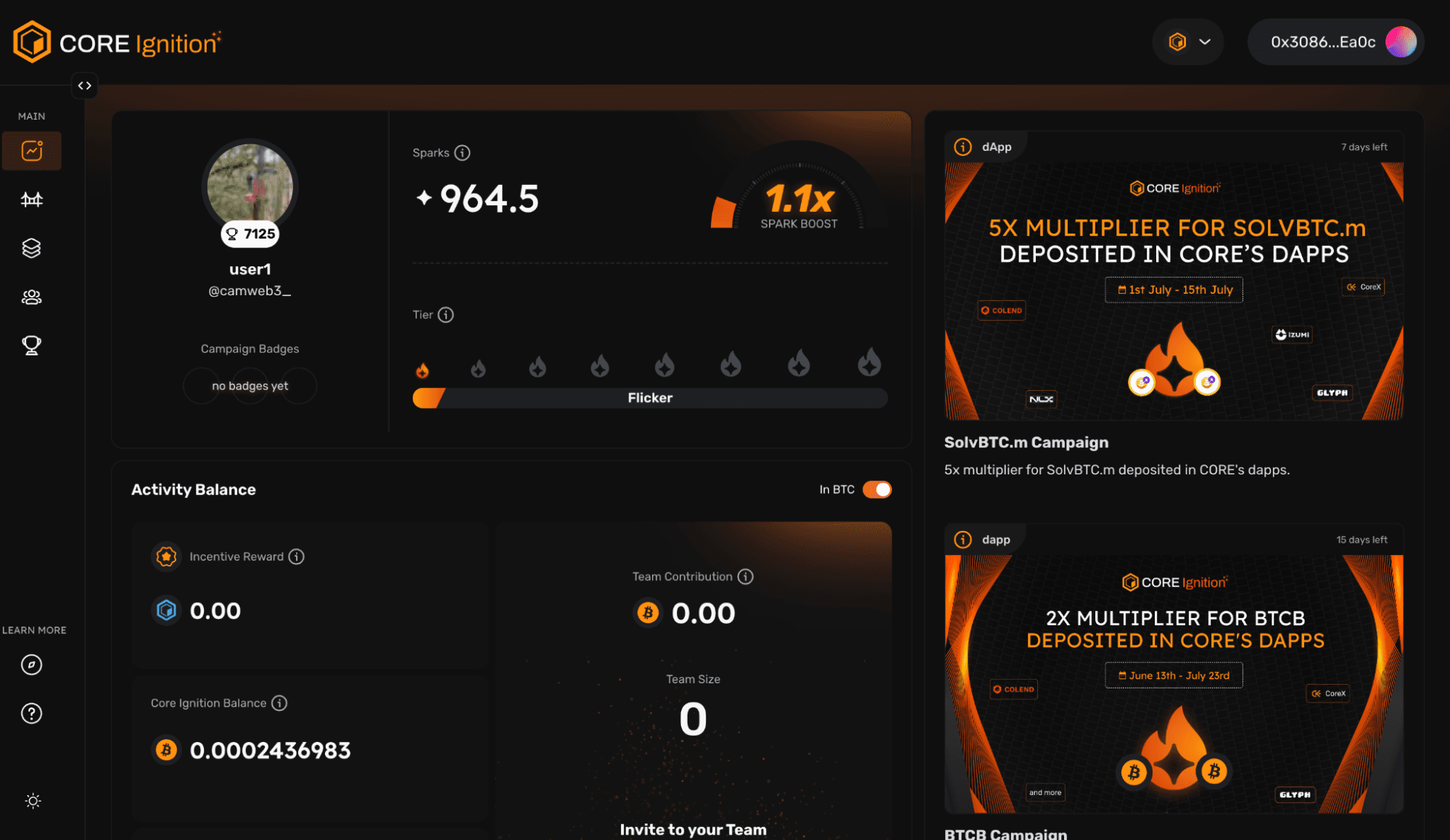
Core Ignition Dashboard
3.1 (Optional) Twitter account is linked via Ignition Dashboard
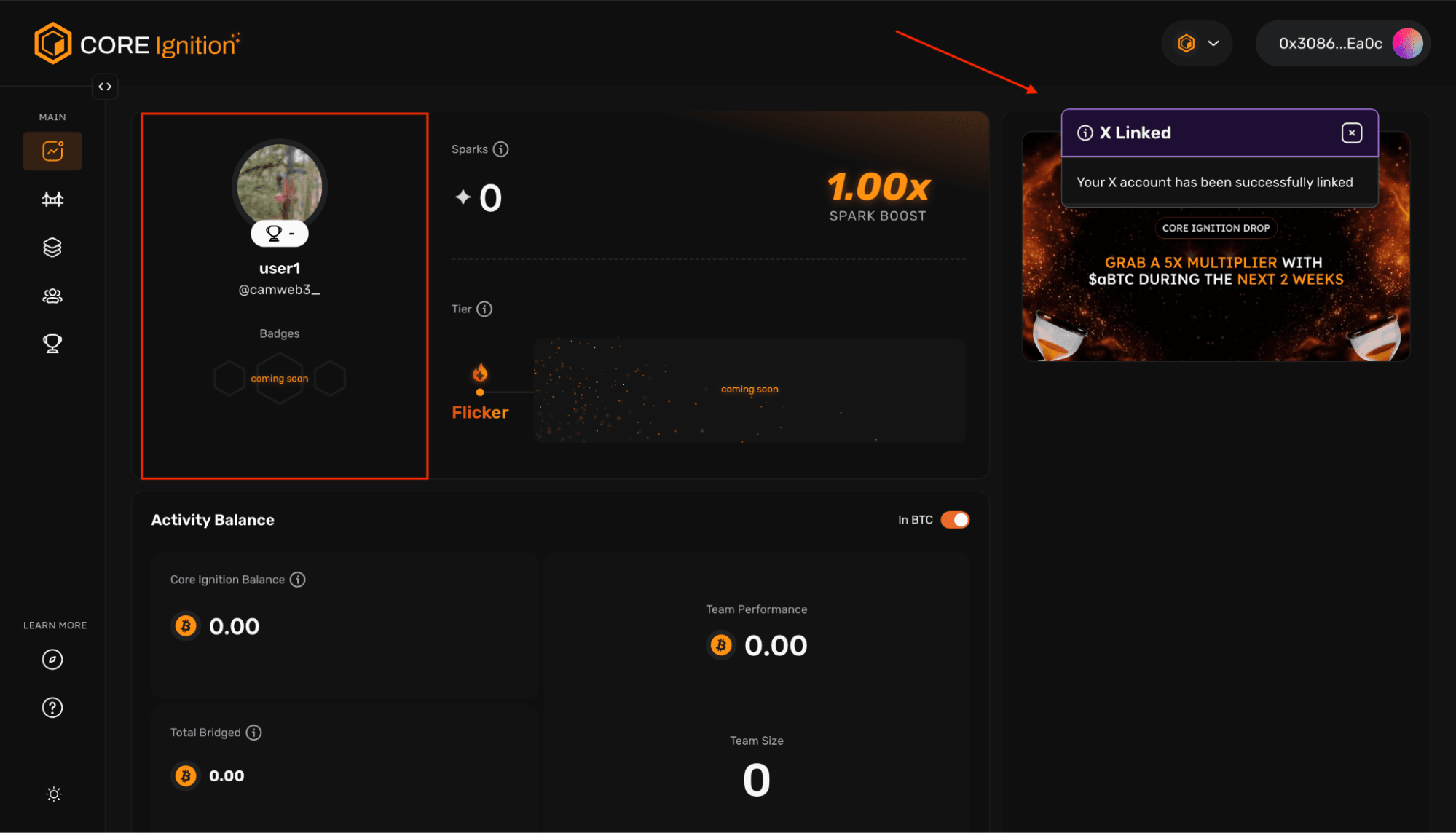
image8.png
3.2 Dashboard configurations
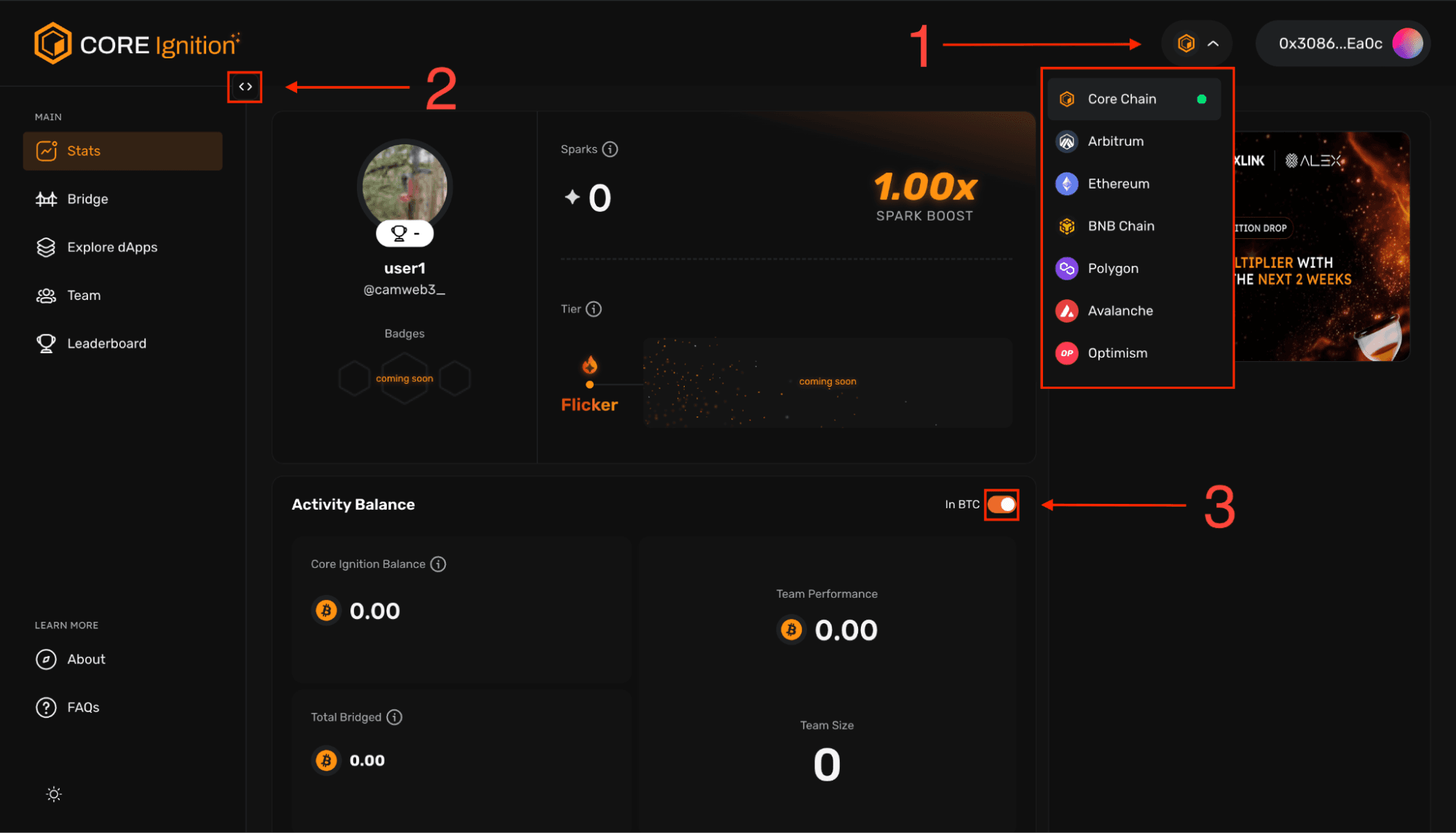
image3.png
3.2.1 → Current chain / chain selection
3.2.2 → Expand text column for different dashboard tabs
3.2.3 → Toggle Activity Balance (BTC)
4.Select the bridge tab on the side column to begin bridging assets to Core Chain – bridged assets will start accumulating perpetual daily Sparks.
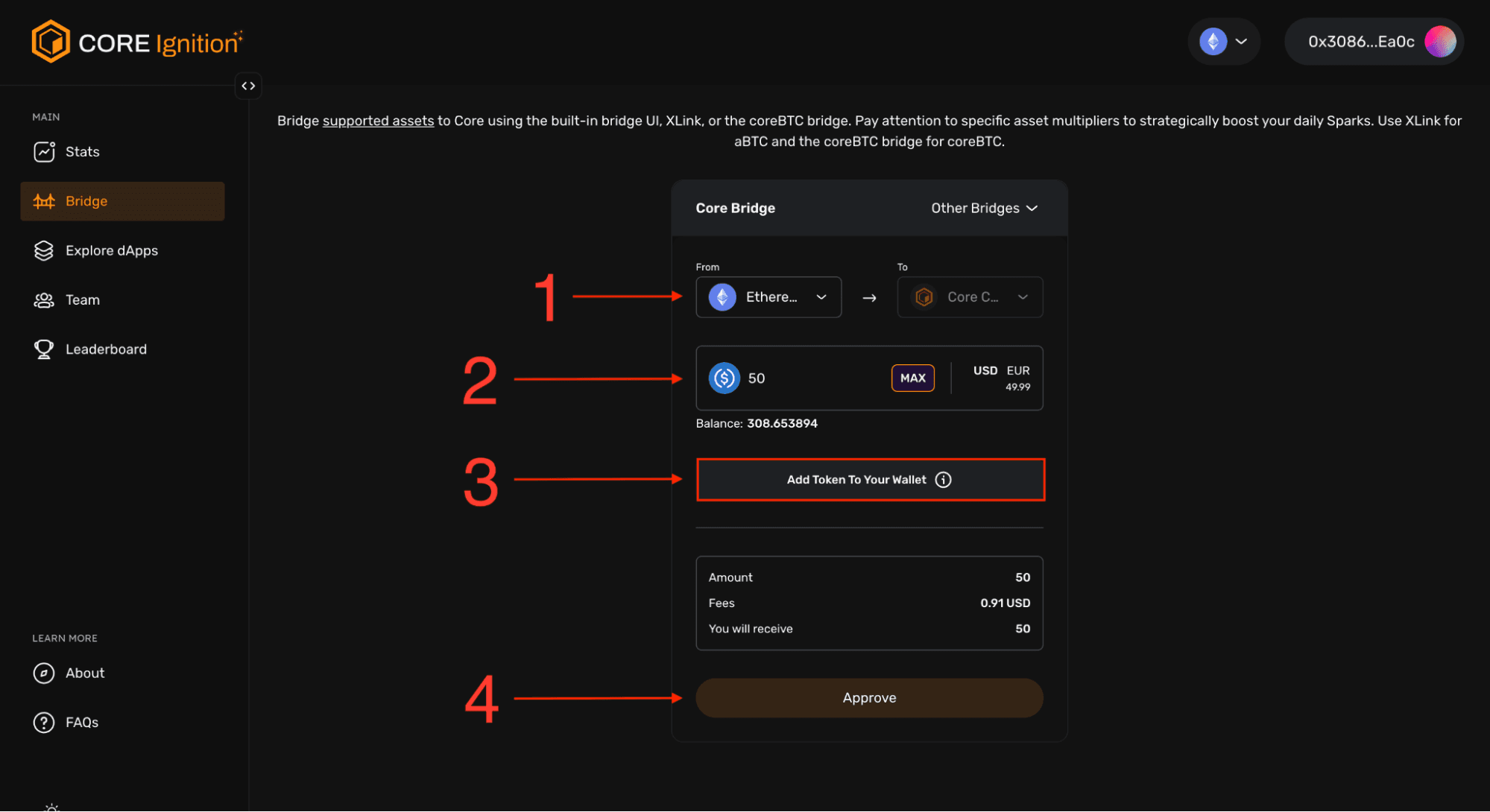
image11.png
4.1 → Choose the network you will be bridging from, we have selected Ethereum
4.2 → Select the asset you will be bridging - in this example, we will be using USDC. Notice that some assets carry a Sparks Multiplier
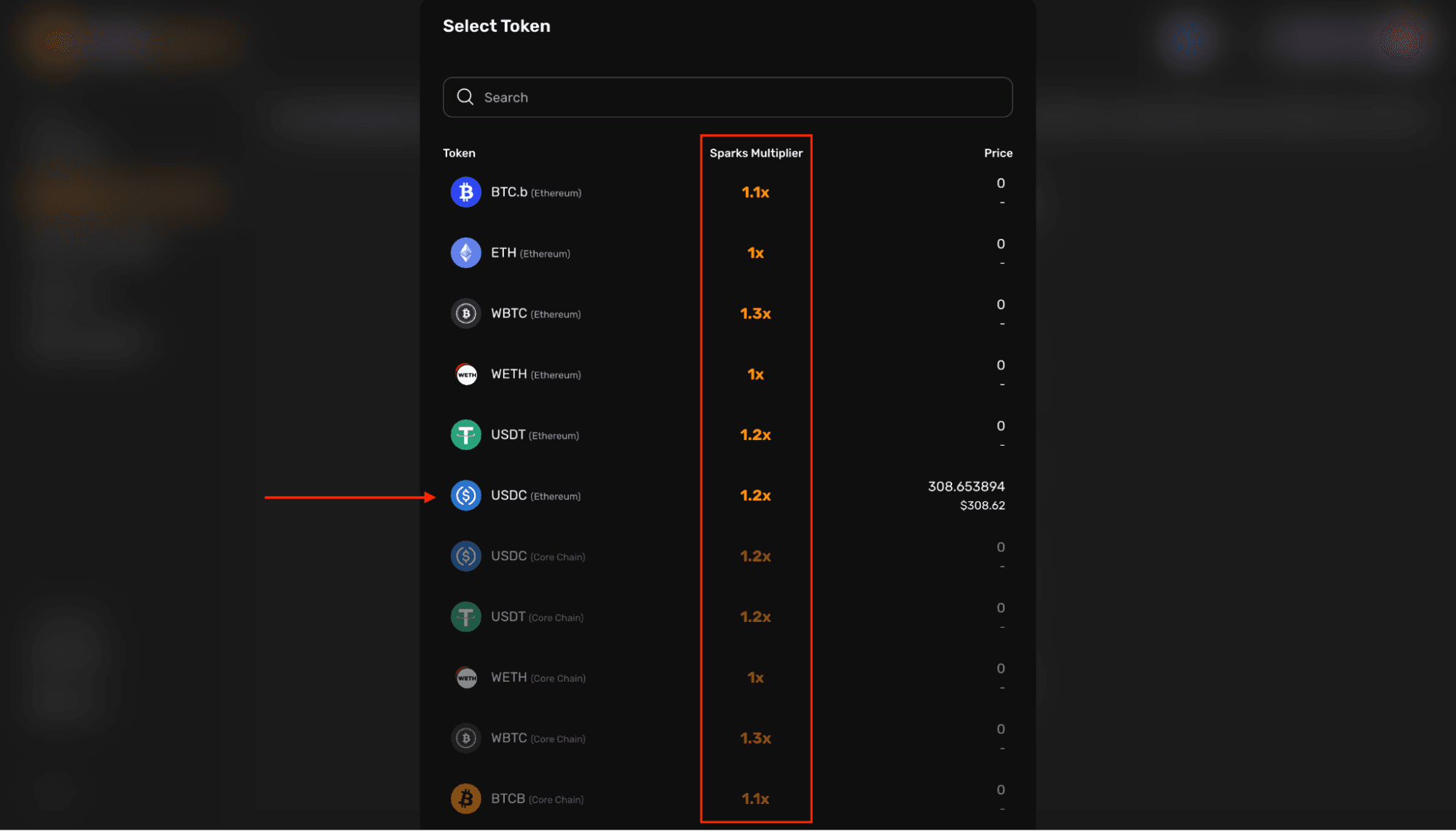
image4.png
4.2.1 → Specify the number of tokens you would like to bridge
4.3 → Add the specified token to your wallet - sign in wallet
4.4 → Review the transaction for accuracy, then approve transaction if you’re comfortable proceeding (ensure you have enough funds in your wallet to pay for gas fees from the sending network or the transaction will not be able to be approved)
4.5 → Click ‘next’ on the spending cap request for your asset (or adjust the cap as desired before proceeding), and approve the transaction
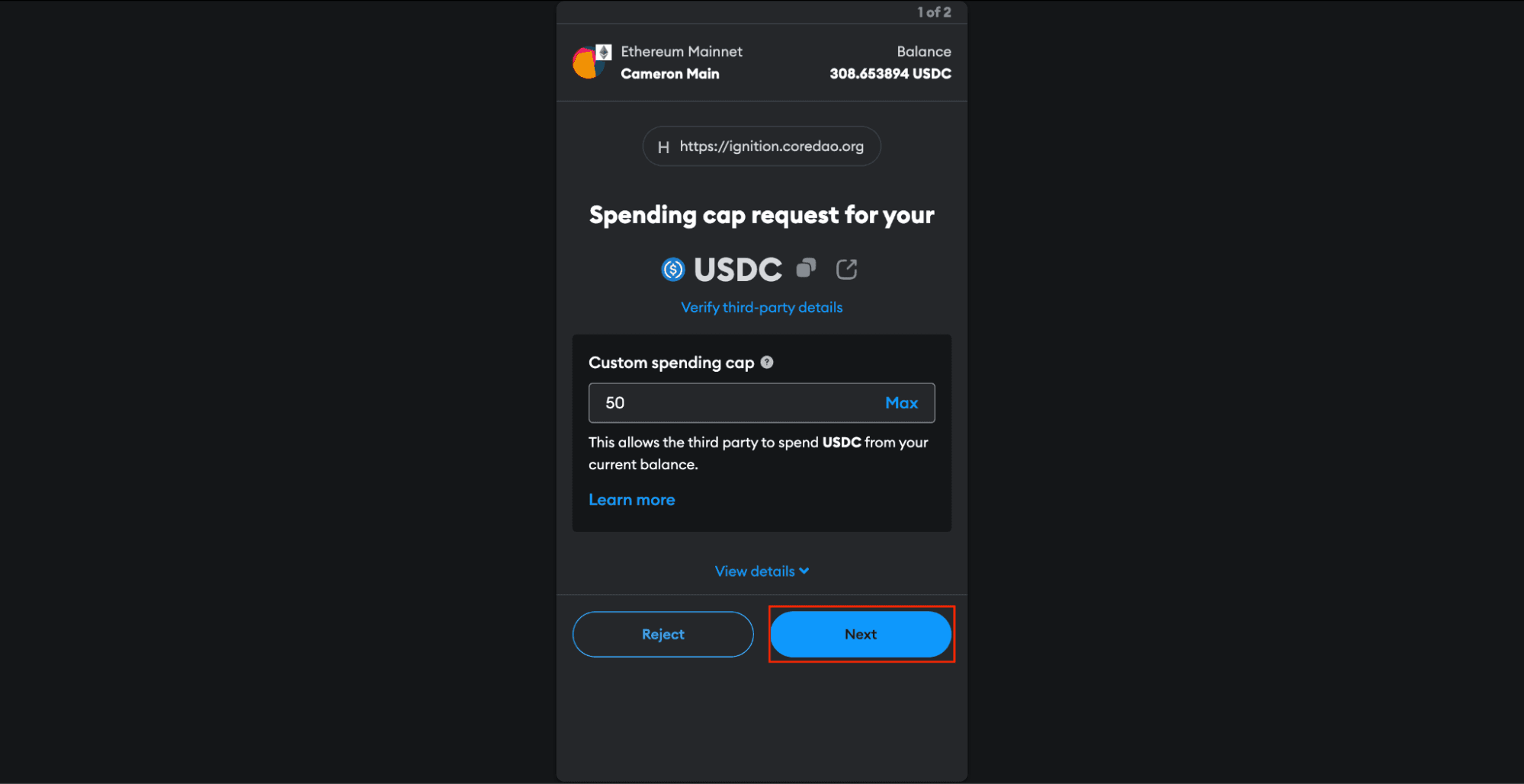
image6.png
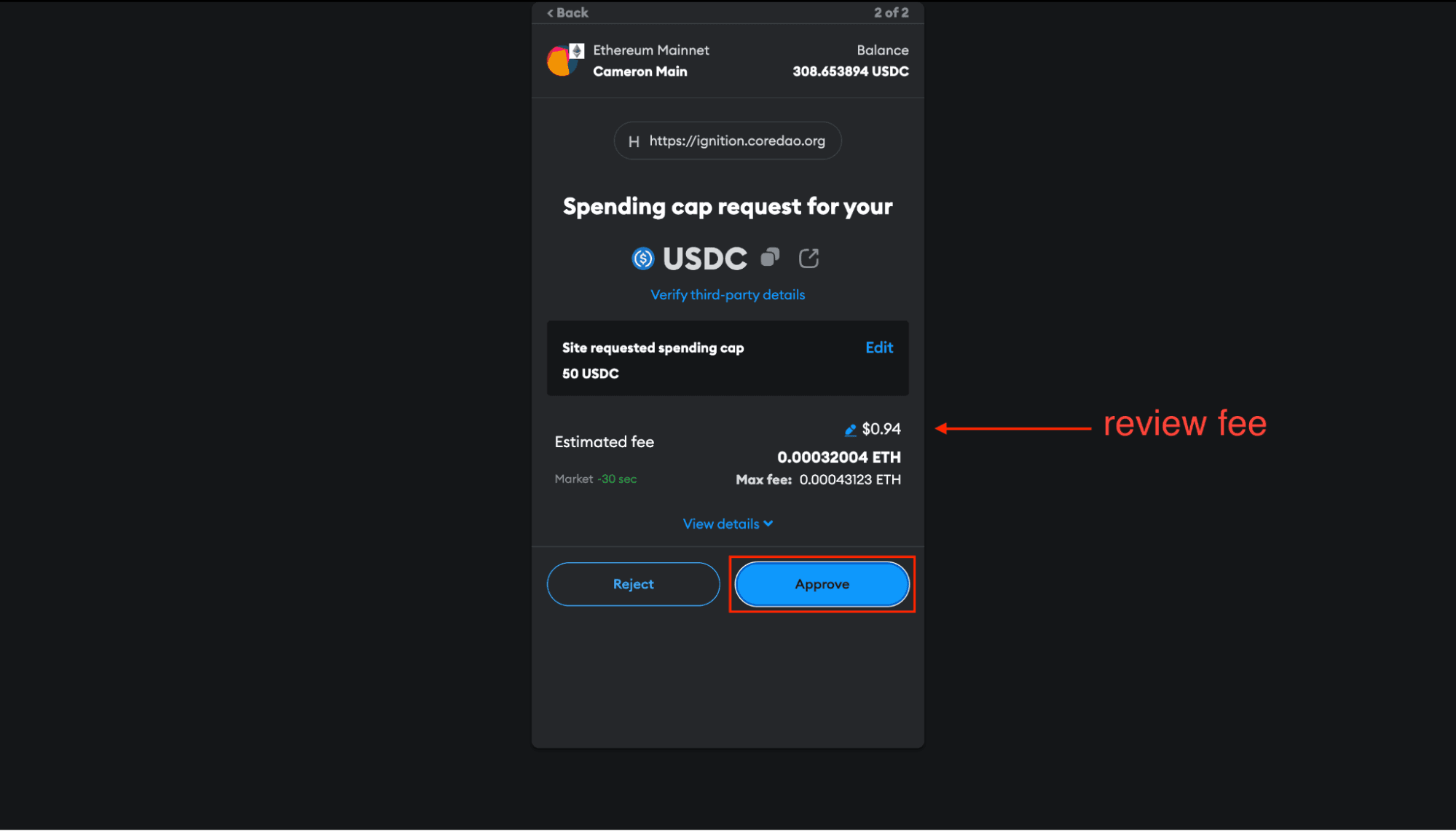
image2.png
4.5.1 → Confirm that the transaction was submitted to the network
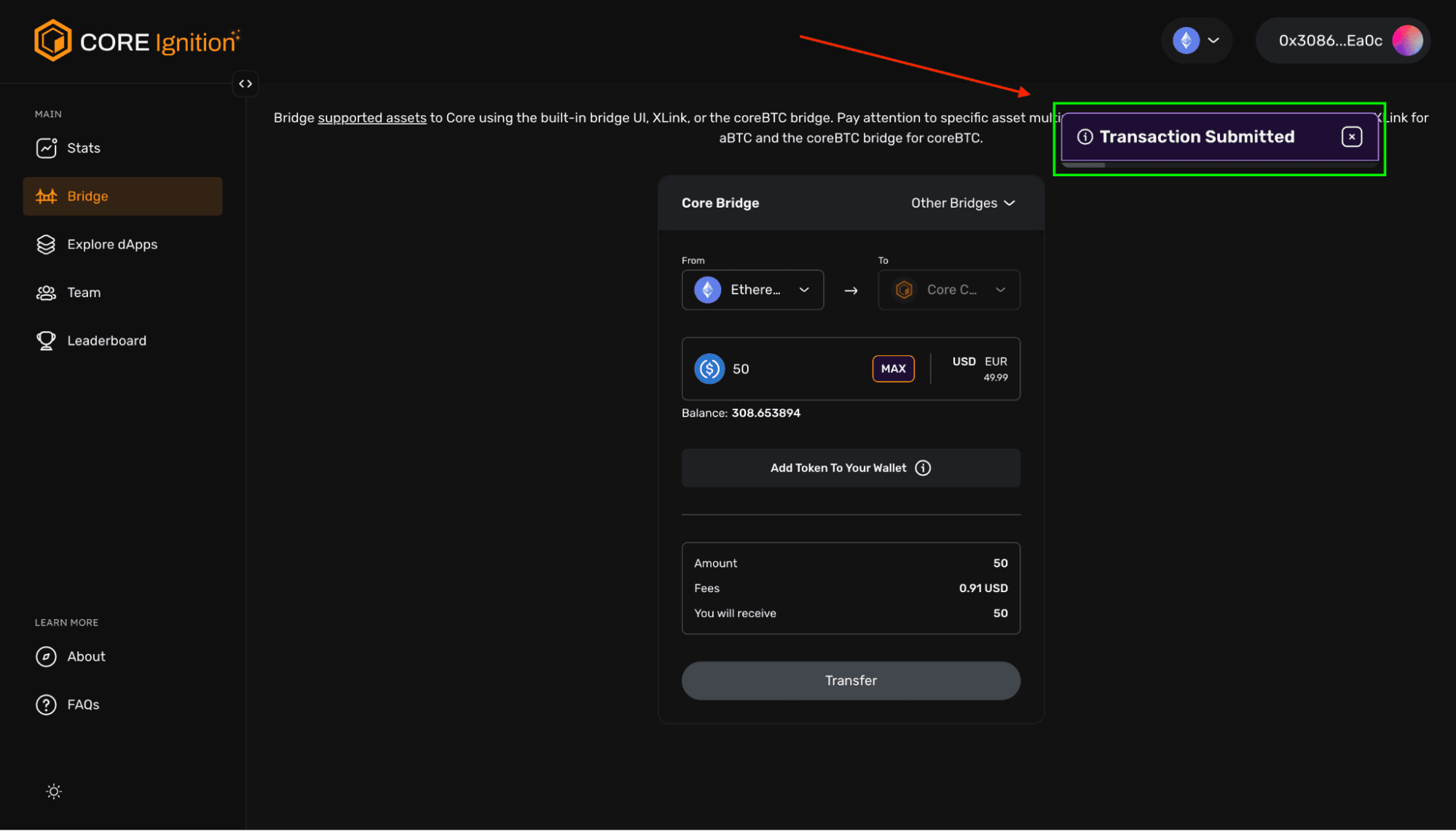
image15.png
4.6 → If successful, after your transaction completes, upon the arrival of 00:00 UTC, you will see your sparks balance update in the stats tab of the dashboard as well as your Activity Balance. (Asset balances may sometimes take longer to populate in the dashboard)
Now in our example, our Core Ignition Balance under Activity Balance is being shown in BTC.
-Notice our new Core Ignition Balance → value of whitelisted assets either inside the wallet or dApps, regardless if bridged or not.
-Total Bridged = amount bridged via Core’s official bridge (built in bridge UI), for assets bridged under “other bridges”, they will not be accounted here
-Sparks indicate accumulated user activity and engagement, while Spark Boosts apply multipliers based on wallet assets.
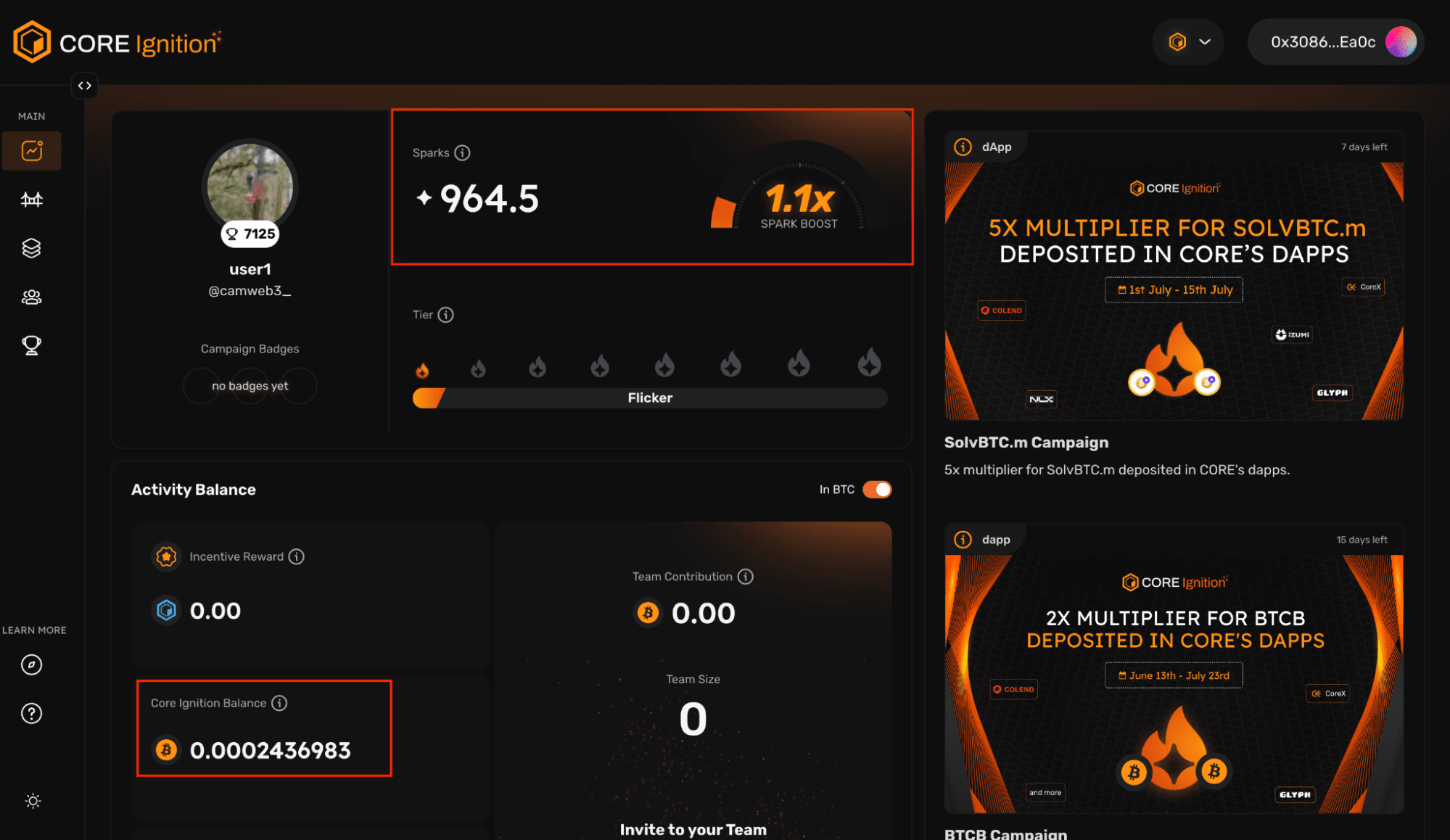
Core Ignition Balance Dashbard
Tier Multipliers:
Core Ignition Drop tiers offer Spark multipliers, boosting daily Sparks based on engagement. Climbing tiers requires meeting criteria such as Spark levels, dApp deposits, and badge collection. Limited slots available for tiers Blaze and above, with priority based on dApp deposits. Higher tiers result in greater Spark accumulation. Badges contribute to tier progression by showcasing activity and dedication.
Badges:
Badges add fun and competition, rewarding specific activities within the Core ecosystem. Invite new team members, or participate in campaigns to earn badges and bonus Sparks. Badges contribute to tier progression and overall rewards by showcasing activity and dedication. Early badge acquisition increases chances of climbing tiers, unlocking higher Spark multipliers. Climbing tiers leads to greater daily Spark accumulation.
5.0 → Now, lets click on the explore tab to discover Core dApps, and the expanding Core ecosystem!
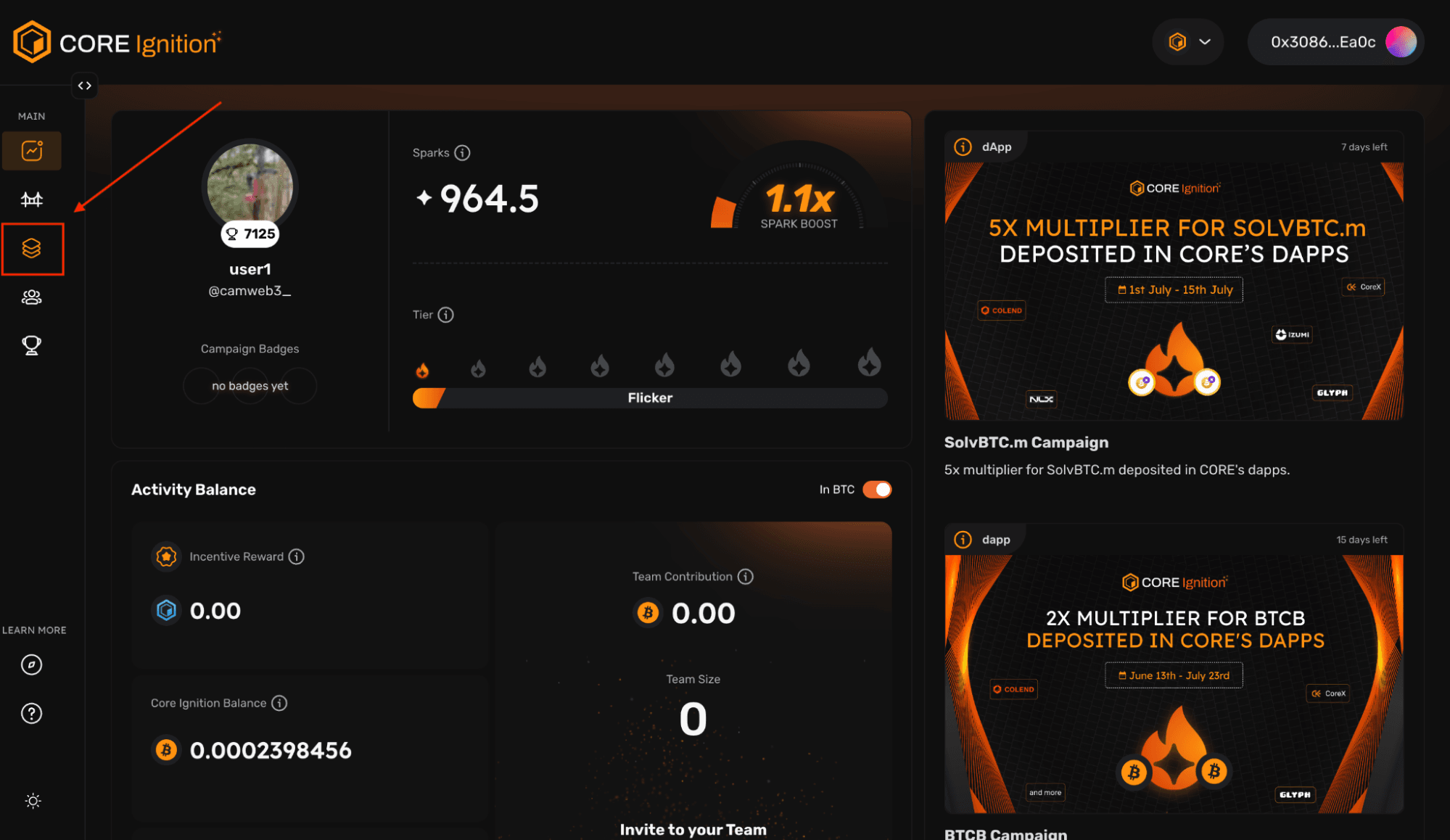
Core Ignition Discover Core dApps
5.1 → You will now see some of the most utilized dApps within the Core ecosystem. Clicking on any of them, will allow you to see opportunities that are available for multipliers. In a moment, we are going to click on Glyph Exchange. But first, let's understand how to filter by asset.
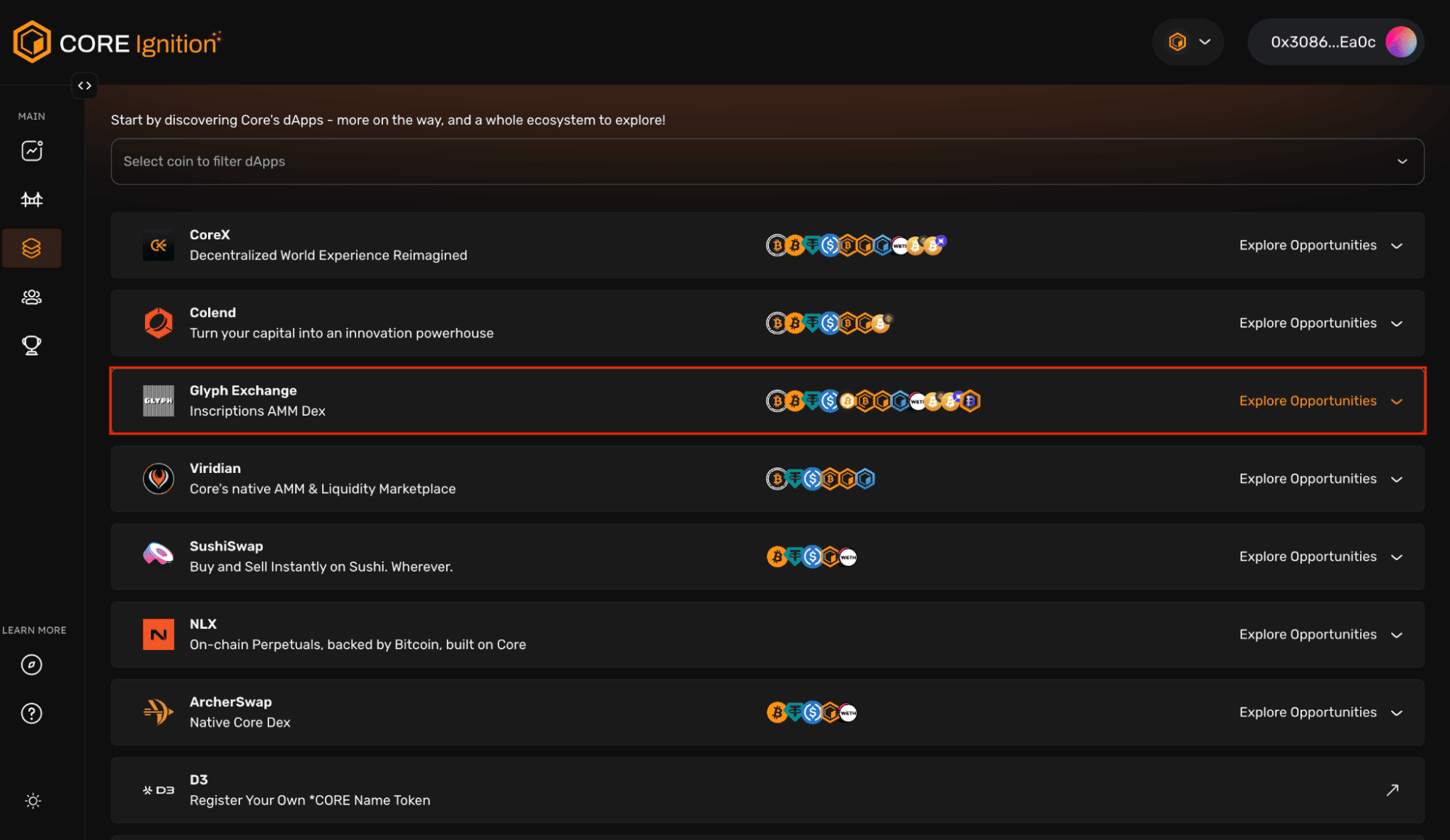
Core Ignition (Core dApps)
5.1.1 → First, click the ‘Selection coin to filter dApps’ dropdown. If I’m the user, and I am holding USDT within my wallet, I may only want to filter by opportunities utilizing USDT. In this case, for step 2, we will then input ‘USDT’, and you will notice USDT populates below it. Proceed by clicking the result.
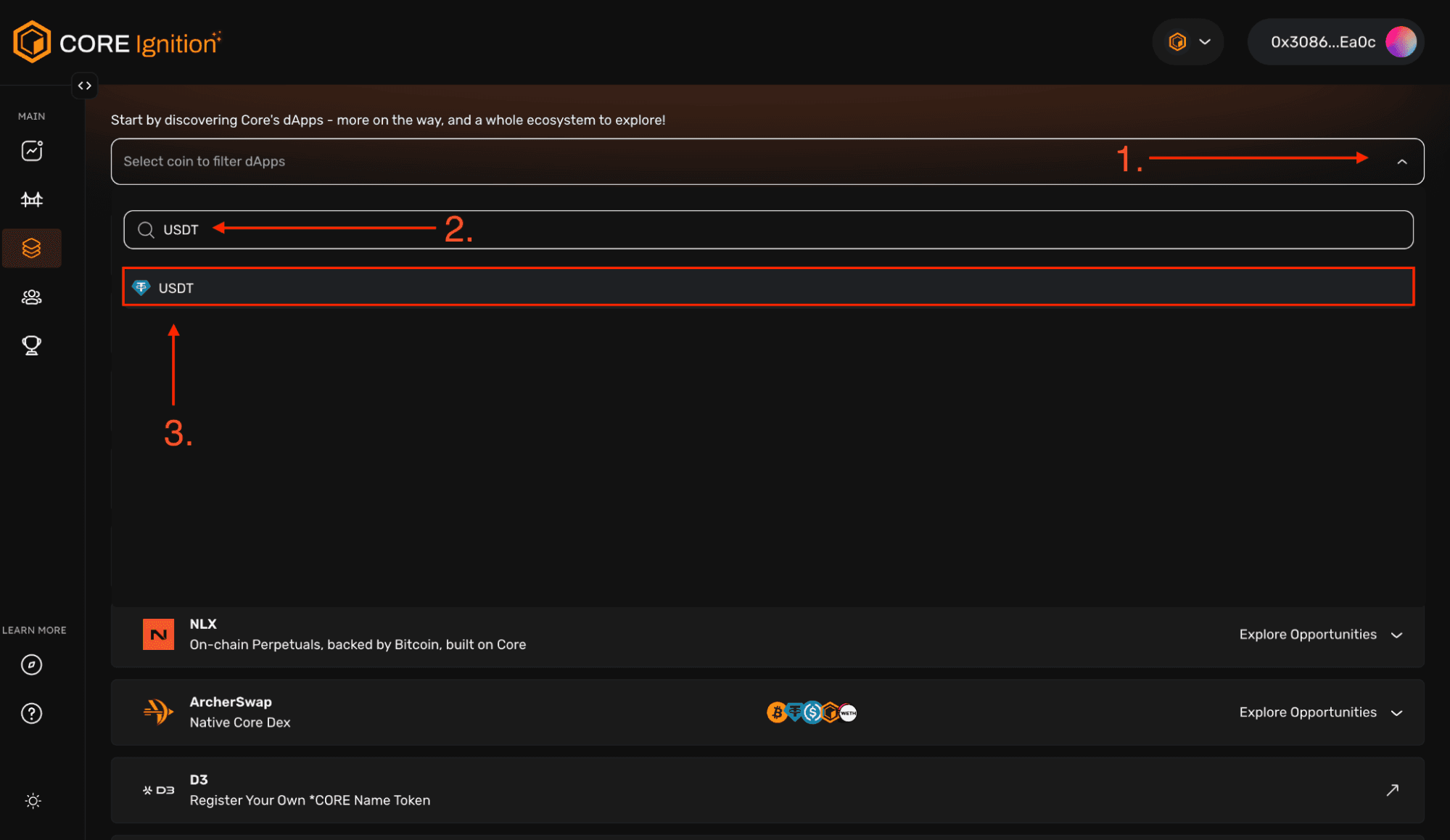
Core Ignition BTCfi (Selection coin to filter dApps)
5.1.2 → As seen here, we now only have results pertaining to opportunities that include USDT.
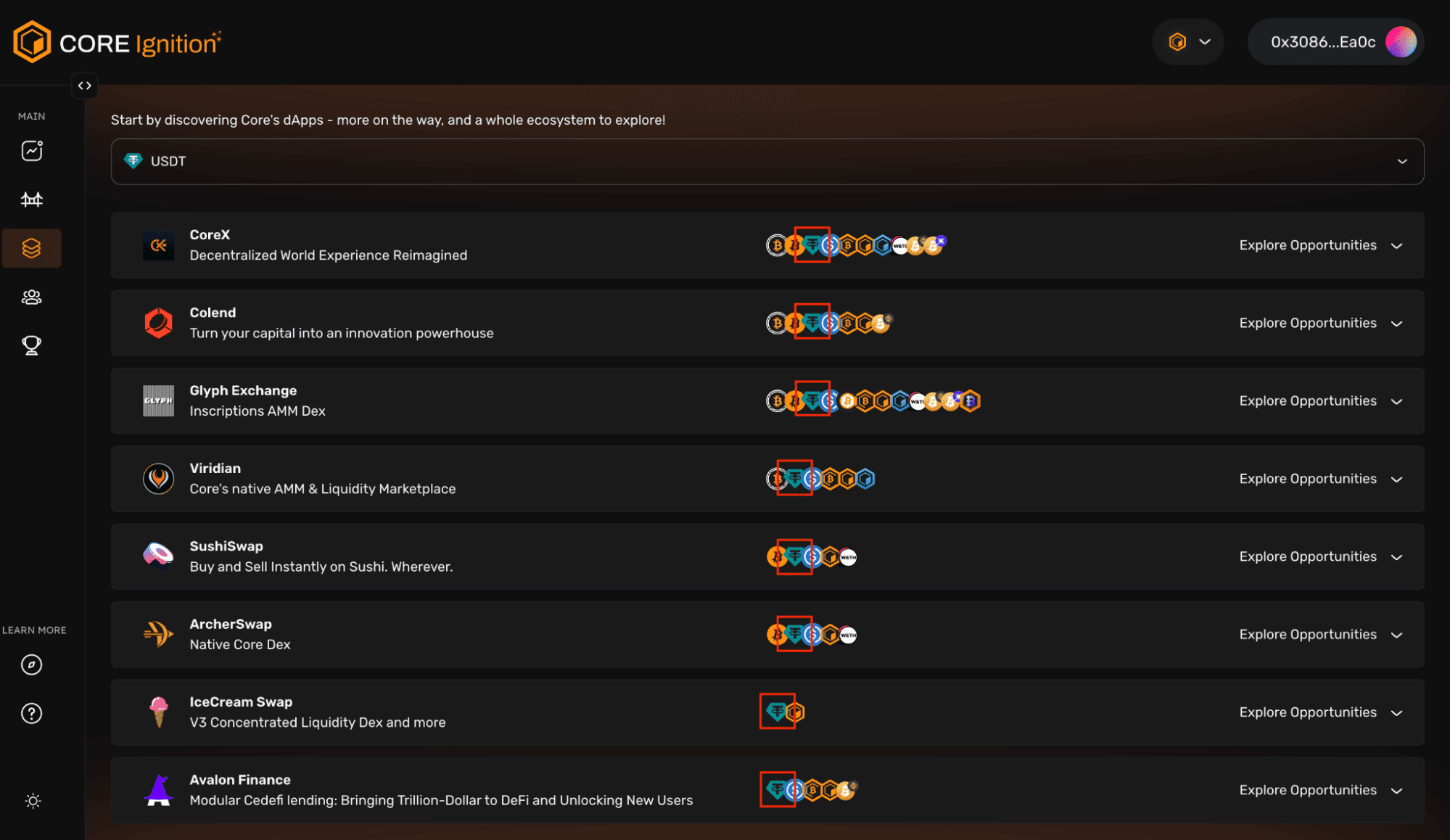
Core Ignition BTCfi
5.2 → Resuming from where we left off– Glyph Exchange is an Inscriptions AMM Dex, we’re able to see different liquidity pools. For some pairs, you will notice there is a multiplier attached. Some higher than others, interacting with these assets, and holding them in your wallet will net you a sparks multiplier when available.
Clicking on any of the outlined boxes will redirect you right to the selected liquidity pool within Glyph, similarly, this logic is applicable towards other dApps within the explore tab.
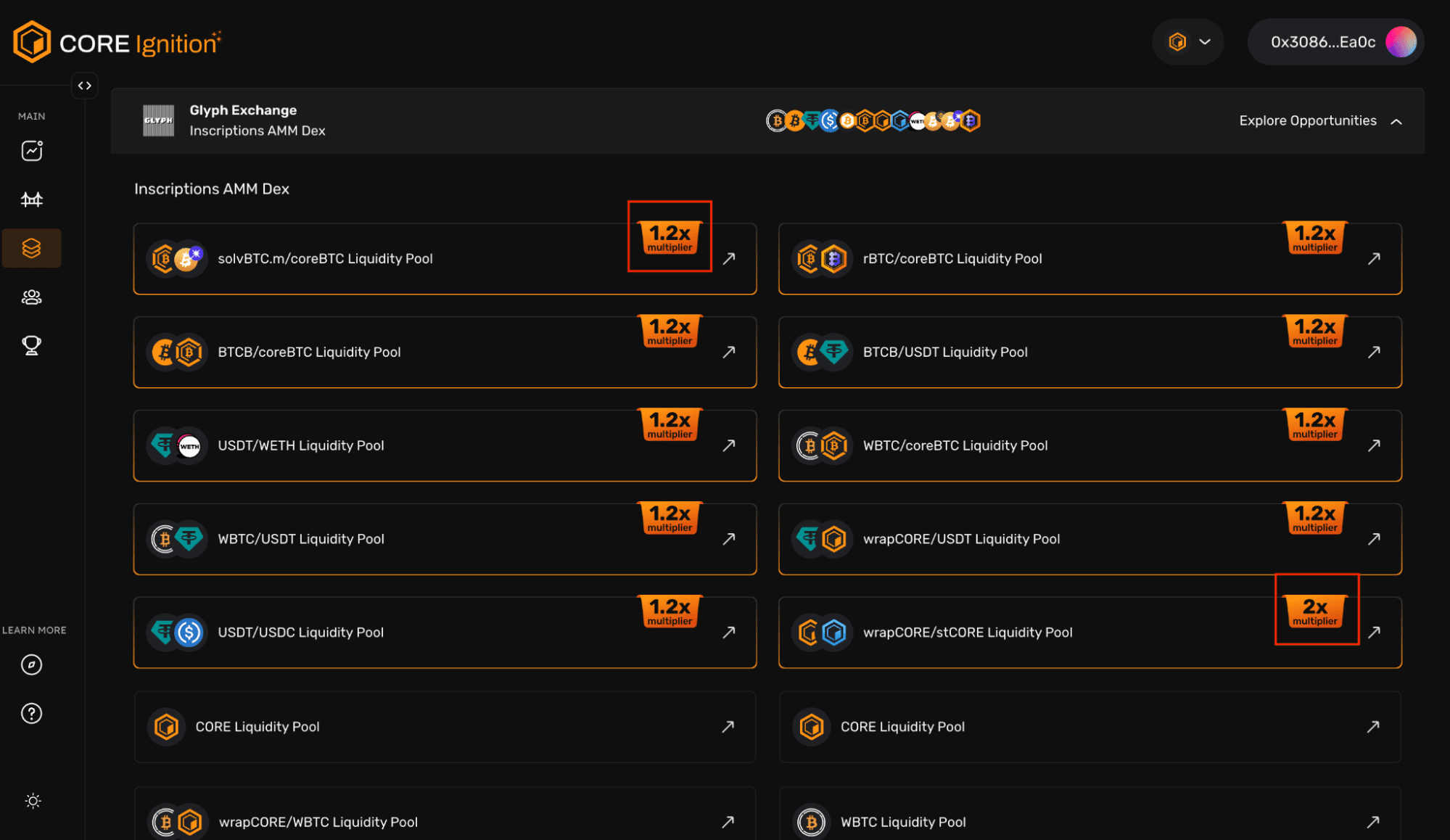
Core Ignition BTCfi (liquidity pools)
Conclusion
Core Ignition is a thoughtfully designed six-month incentive program aimed at rewarding the Core community for their contributions.
Accumulating whitelisted assets (regardless if bridged or not) to Core and participating in Core Ignition allows users to earn Sparks. These Sparks serve as the foundation for potential rewards, with multipliers that can be earned based on the type of assets bridged and the engagement with dApps. By accruing these multipliers for your Sparks, you can amplify your rewards, enabling you to earn more Sparks. This system incentivizes active participation, fostering growth and adoption within the Core ecosystem.
Regardless of your expertise, there is an opportunity to make a significant impact and thrive in Core Chain’s dynamic environment. Join us and get ignited!